
WordPress vs Custom Website: Which Is Right for Your Business in 2026?

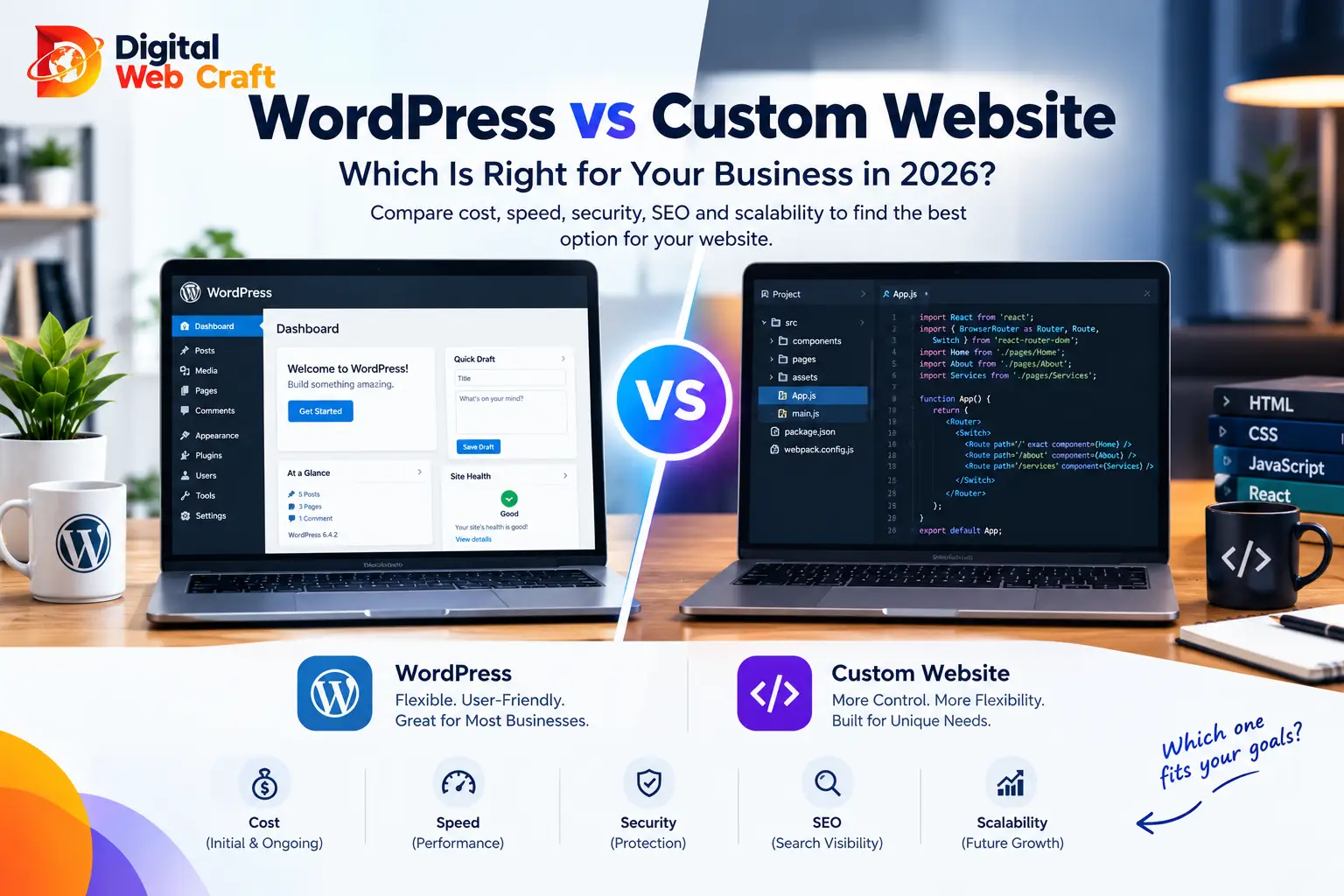
Sooner or later, every business owner planning a website hears the same two answers from two different people. One says, “Just use WordPress, it’s quick and everyone uses it.” The other says, “Don’t build on a template, get a custom site.” Both sound confident, and both can be right or wrong depending on your situation.
The honest truth is that neither is better in general. WordPress is an excellent foundation for a huge range of business websites. Custom development is the better tool for some specific jobs. Picking the wrong one costs money either way: you either overspend on code you did not need, or you outgrow a setup that was never meant to handle what you are asking of it.
This guide explains both options in plain language, compares them on the things that actually affect your business (cost, speed, security, SEO, flexibility and maintenance), and gives you a checklist to decide. It also covers the middle path, which is often the best answer.
The Short Answer
- Choose WordPress if you need a professional website for a service business, agency, clinic, school, local shop, blog or brochure site, you want to edit content yourself, and you want a reasonable budget with a quick launch.
- Choose custom if your website is a web application, a marketplace, a booking engine with unusual rules, a client portal, or anything where unique logic, very high performance or tight security control is central to the business.
- Choose custom WordPress development if you want the ease of WordPress with a design and features built specifically for you, rather than a generic template packed with plugins.
For a large number of small businesses, the best answer is WordPress, built properly. The word “properly” is doing a lot of work in that sentence, and we will explain what it means below.
What WordPress Actually Is
WordPress is an open-source content management system, which means software that lets you manage a website through a dashboard instead of editing code. It is the most widely used website platform in the world, which brings real advantages: a large community, thousands of themes and plugins, plenty of developers and a lot of documentation.
Out of the box, WordPress gives you:
- A visual editor for pages and blog posts.
- A media library for images and documents.
- User roles and permissions.
- A theme system that controls the look of your site.
- A plugin system that adds features such as forms, SEO tools, booking, memberships and online stores.
Because it is so widely used, almost any common feature already exists as a plugin. That is both its biggest strength and its biggest risk. Used wisely, plugins save weeks of work. Used carelessly, they slow down the site, create conflicts and open security holes.
What a Custom Website Actually Is
A custom website is built from code written specifically for your project, rather than on top of a general-purpose platform. Developers choose the technology (for example React, Next.js, Laravel or Node.js), design the structure and build every feature to your requirements.
Custom builds can include:
- A hand-built front end with a fully original design.
- A custom backend for data, accounts, payments and business rules.
- Integrations with your other systems through APIs.
- A tailored admin panel so your team can manage exactly what it needs and nothing else.
The benefit is control. Nothing is included that you did not ask for, and nothing is limited by how a platform works. The cost is that everything has to be designed, built, tested and maintained, which takes more time and budget.
The Middle Path: Custom WordPress Development
This is the option that confuses many owners, because it is neither “use a template” nor “build everything from scratch.”
Custom WordPress development means using WordPress as the engine but building the theme and key features specifically for you. Instead of buying a multipurpose theme with hundreds of options and installing twenty plugins to patch the gaps, a developer builds a lean theme that does exactly what you need, adds custom blocks or components for your content, and writes custom code for the few features plugins cannot handle well.
Benefits of this approach:
- A unique design, not a recognisable template.
- Faster pages, because there is far less unused code.
- Fewer plugins, which reduces security and maintenance risk.
- A content editor tailored to your team, so updating the site is simple.
- Lower cost than a fully custom application, because the CMS already exists.
If you want to see what this looks like, browse our portfolio and our technologies page, where we explain how we work with WordPress, Shopify and modern JavaScript stacks.
Cost: What You Pay Now and Later
Costs vary widely, so we will describe the shape of the cost rather than quote numbers. For real budgeting, see our small business website cost guide.
WordPress (template-based).
- Lower upfront cost, because design and features come from existing themes and plugins.
- Ongoing costs: hosting, premium plugin or theme licences, updates, backups and security monitoring.
- Costs can grow if you keep adding plugins to cover missing features.
Custom WordPress theme.
- Higher upfront cost than a template site, because design and development are done for you.
- Often lower ongoing costs than a plugin-heavy site, since there is less to update and fewer conflicts.
Fully custom website or application.
- The highest upfront cost, since everything is designed and built from scratch.
- Ongoing costs: hosting or cloud infrastructure, developer time for changes and fixes, security updates and monitoring.
- Every new feature is a development task rather than a plugin install.
The real comparison is total cost over three to five years, not just the launch price. A cheap site that needs constant repair, or a custom site that nobody can maintain, can both end up costing more than a well-planned middle option.
Speed to Launch
WordPress usually wins on speed. A well-planned business site can often be live in a matter of weeks, because the platform, editor and many features are ready to use.
Custom builds take longer, because discovery, design, development, testing and revisions all happen from scratch. The more unique the features, the longer the timeline.
If you need to be online quickly, for a campaign, a funding deadline or a business launch, WordPress is usually the practical choice. You can always add custom components later.
Design Freedom
Both can look excellent. The difference is how much effort it takes to get exactly the design you want.
- Template-based WordPress is quick, but your site may look similar to others, and changing details can mean fighting the theme.
- Custom WordPress gives you a unique design with the flexibility of a CMS behind it.
- Fully custom gives complete freedom, including unusual layouts, animations and interactions that a CMS would find difficult.
If your brand relies on a very distinctive interactive experience, such as a product configurator or animated storytelling, custom front-end development may be worth it. For most businesses, a clean, fast, well-branded WordPress design is more than enough, and it is the content, clarity and trust signals that decide conversions, not exotic animation.
Performance and Page Speed
Speed matters for visitors and for search visibility. It is also where reputations are made and broken, because both options can be fast or painfully slow.
Why WordPress sites become slow:
- Heavy multipurpose themes with unused features.
- Too many plugins loading scripts on every page.
- Oversized images and no caching.
- Cheap or overloaded hosting.
- No content delivery network.
How to keep WordPress fast:
- Use a lightweight, well-coded theme.
- Keep plugins to a minimum and remove unused ones.
- Compress and properly size images.
- Use caching and a CDN.
- Choose quality hosting, such as our managed business hosting.
Custom sites can be extremely fast because they contain only the code they need. But they are not automatically fast. A poorly built custom site with unoptimised images and heavy scripts will be slow too.
The takeaway: speed is the result of good engineering and good hosting, not the platform alone.
Security
Security is often used as an argument against WordPress, so it deserves a fair explanation.
Why WordPress gets targeted. Because it is so widely used, attackers look for known weaknesses, especially in outdated plugins and themes, weak passwords and poorly configured hosting. The WordPress core itself is actively maintained. Most problems come from neglected sites.
How to secure a WordPress site:
- Keep core, themes and plugins updated.
- Remove plugins and themes you do not use.
- Use only reputable, actively maintained plugins.
- Use strong passwords and two-factor authentication for admins.
- Limit login attempts and use a web application firewall.
- Take regular off-site backups and test restoring them.
- Use secure hosting with SSL and sensible server settings.
Custom sites have a smaller public target profile and no third-party plugin ecosystem to worry about, but they have their own risks: coding mistakes, unpatched libraries and missing security reviews. Nothing is safe by default. Custom code needs professional security practices, dependency updates and monitoring.
Fair conclusion: a well-maintained WordPress site is secure enough for most businesses. A neglected one of either type is a liability.
SEO
Search engines care about useful content, technical health, speed, mobile friendliness and a clear structure. Both options can do all of that.
WordPress advantages for SEO:
- Easy control of titles, descriptions, headings, URLs and schema through SEO plugins.
- Built-in blog structure, categories and tags.
- Simple content publishing for regular articles.
- Easy internal linking.
Custom advantages for SEO:
- Full control over code, structured data and rendering.
- Leaner pages, which can help Core Web Vitals.
- Flexibility for large or unusual site structures.
The catch with custom: your SEO fundamentals, such as sitemaps, canonical tags, redirects and metadata fields, must be built deliberately. If they are missed, you may need developer time to fix what WordPress would have provided out of the box.
For most businesses, WordPress makes everyday SEO work easier for the marketing team. If you want help with the strategy side, see our SEO services.
Scalability and Complex Features
This is where custom development has a genuine edge.
WordPress scales well for content. Large blogs, news sites and corporate sites run on it. With good hosting, caching and clean code, traffic is rarely the issue.
WordPress struggles when the site becomes an application. Examples include:
- Complex multi-step workflows with unique business rules.
- Real-time features, such as live dashboards or collaboration.
- Large, relational data models, such as marketplaces with custom pricing logic.
- Highly customised user accounts and permissions.
- Integrations that need precise, high-volume data handling.
You can build some of these on WordPress with custom plugins and APIs, but at some point you are fighting the platform. If your idea is closer to “software” than “website,” start with custom or a hybrid approach.
Headless WordPress is a hybrid worth knowing about. WordPress is used only as the content editor, while a separate modern front end (such as React or Next.js) displays the site. This can provide very fast pages and design freedom with an editor your team already knows. It costs more and needs more skill than a standard build, so use it when you have a clear reason.
Maintenance and Ownership
Whichever route you take, a website is not a one-time purchase.
WordPress maintenance typically includes updating core, themes and plugins, testing after updates, backups, uptime and security monitoring, and occasional fixes. Skipping this is the main reason WordPress sites break.
Custom maintenance includes dependency and framework updates, server maintenance, bug fixes, security reviews and developer time for every change.
Ownership questions to ask any developer:
- Will I own the code and all accounts (hosting, domain, repositories)?
- Is the code documented so another developer can take over?
- What happens if the original developer is unavailable?
- Who handles updates and emergencies, and how quickly?
Custom builds carry more risk of dependency on the people who wrote them. WordPress, with its huge developer pool, makes it easier to find a replacement. Whichever you choose, insist on documentation and full access.
Our guide on how to choose a web design company lists more questions worth asking before you sign.
Content Editing and Day-to-Day Use
If your team will update the site, usability matters as much as technology.
WordPress is familiar to many marketers and editors. Posts, pages and images are managed in a dashboard, and a good developer can create custom blocks so editors can build pages without breaking the design.
Custom sites can have an admin panel tailored exactly to your workflow, which can be simpler than WordPress. But if no admin panel is built, every content change becomes a developer task, which is slow and costly. Always confirm how you will edit text, images and pages before agreeing to a custom build.
Ecommerce
For online stores, the choice has an extra dimension.
- WooCommerce on WordPress suits businesses that want a flexible store tightly connected to content and SEO, with control over hosting and extensions.
- Shopify suits businesses that want a managed, hosted solution with less technical upkeep.
- Fully custom ecommerce suits businesses with unusual pricing, inventory, subscriptions or multi-vendor logic.
We will compare WooCommerce and Shopify in detail in a separate guide. For now, if you are planning a store, see our ecommerce services.
Which Businesses Should Choose WordPress
WordPress is usually a strong fit for:
- Service businesses: consultants, agencies, clinics, law and accounting firms.
- Local businesses: restaurants, salons, trades, fitness studios.
- Content-driven brands: blogs, publishers, educators, course creators.
- Non-profits and associations.
- Small to medium ecommerce: with WooCommerce.
- Startups validating an idea: where speed and budget matter more than bespoke features.
- Teams that want to manage content themselves.
Which Businesses Should Choose Custom
Custom development is usually the better fit for:
- SaaS products and web applications.
- Marketplaces and platforms with complex user roles and transactions.
- Booking, scheduling or quoting systems with unique rules.
- Client or partner portals that handle sensitive data.
- Businesses with demanding performance needs or heavy real-time features.
- Companies with strict security, compliance or integration requirements.
- Brands where an unusual interactive experience is central.
Decision Checklist
Score yourself honestly. For each statement, note whether it is true for your project.
Leans WordPress:
- Mostly pages, posts and standard forms.
- Needs to launch within weeks.
- Budget is moderate.
- Non-technical staff will edit content.
- Regular blogging and SEO are important.
- Standard integrations (email marketing, CRM, payments) are enough.
Leans custom:
- Core features do not exist as proven plugins or tools.
- Complex user accounts, workflows or data relationships.
- Security or compliance rules are strict.
- Very high traffic or real-time performance is expected.
- The website is the product.
- You have budget and time for a longer build and ongoing development.
Interpreting your result:
- Mostly WordPress statements: go with WordPress, and invest in quality development and hosting.
- Mostly custom statements: plan a custom build, ideally with a phased roadmap.
- A mix: consider custom WordPress or a hybrid, where WordPress handles content and custom code handles special features.
Still unsure? Outline your project with our free AI Project Planner and we can suggest an approach.
Common Mistakes to Avoid
Choosing on price alone. The cheapest option may cost more in repairs and rebuilds.
Choosing custom for status. “Custom” sounds premium, but if you do not need bespoke logic, you are paying for complexity.
Choosing WordPress and installing a plugin for everything. Twenty plugins is a warning sign, not a feature list.
Buying a heavy multipurpose theme. It looks flexible in the demo and loads slowly in real life.
Skipping maintenance. Updates, backups and monitoring are not optional.
Not owning your accounts. Always hold the domain, hosting and code access in your own name.
Ignoring content strategy. A beautiful site with no useful content will not attract customers.
No plan for editing. If you cannot update your own site, you will pay for every small change.
Forgetting mobile. Most visitors arrive on phones, so test on real devices.
Launching without redirects. Rebuilding on a new platform without redirecting old URLs can destroy existing search visibility.
How to Move from One to the Other
Many sites start on WordPress and later move parts, or all, to custom code. Others start custom and move to WordPress for easier content management. A smooth migration depends on planning.
Checklist:
- Audit the current site: pages, posts, media, forms, integrations and top traffic pages.
- Map every old URL to its new URL, and set up 301 redirects.
- Keep titles, descriptions and headings for pages that already rank, unless you are improving them deliberately.
- Export and clean content before importing it.
- Rebuild forms and tracking (analytics, tag manager, pixels) and test them.
- Test on a staging site before going live.
- Launch at a quiet time, then check Search Console, broken links and speed.
- Monitor rankings and traffic for several weeks and fix issues quickly.
A gradual approach is often safer: keep WordPress for content and build custom tools, such as a calculator, portal or booking engine, alongside it.
Frequently Asked Questions
Yes, for most business websites. Service sites, blogs, brochure sites and many online stores run very well on WordPress when it is built properly, hosted well and kept updated.
Not automatically. A custom website is better when you need unique features, strict control or application-like functionality. For standard business sites, it is often more expensive than necessary.
WordPress is usually cheaper to launch. Total cost over several years depends on maintenance, plugins and future features, so compare the long-term picture, not only the first invoice.
The core software is actively maintained, and a well-managed WordPress site can be very secure. Most security problems come from outdated plugins, weak passwords and poor hosting, so updates, backups and good practices matter.
Yes. It makes it easy to manage titles, descriptions, headings, URLs, schema and content. As with any site, results depend on content quality, speed, structure and authority.
Yes, with proper hosting, caching and clean code. Large publications run on WordPress. Problems usually come from poor hosting or too many heavy plugins.
It means building a theme and features specifically for your business on top of WordPress, instead of using a generic template with many plugins. It gives a unique design, faster pages and an easier editing experience.
It is a setup where WordPress manages content, while a separate front end, often built in React or Next.js, displays the website. It can be very fast and flexible but costs more and needs more technical skill.
Yes. With careful planning, including URL redirects, content export and testing, you can migrate without losing search visibility. Many businesses move gradually, adding custom features first.
A well-planned WordPress business site often takes a few weeks. A custom website or application usually takes longer, depending on complexity, from several weeks to many months.
Not for daily content updates, which non-technical staff can handle. You do need someone for updates, security, backups and fixes, either in-house or through a maintenance plan.
List your must-have features, your budget and your timeline. If everything you need exists in proven tools, WordPress is likely enough. If your idea needs unique logic, speak with a developer about custom or hybrid options before committing.
Final Thoughts
The WordPress vs custom debate is less about technology and more about fit. WordPress gives most businesses a fast, affordable, flexible and SEO-friendly foundation, as long as it is built cleanly and maintained. Custom development gives complete control for projects where the website is more like software than a brochure.
For many companies, the sweet spot is the middle: a custom-built WordPress theme with a handful of trusted plugins, hosted on reliable infrastructure, with custom code only where it truly adds value.
Whatever you choose, remember the basics: own your accounts, document everything, plan for maintenance and measure results. A good website is not the one with the most advanced technology. It is the one that loads fast, earns trust and turns visitors into customers.
If you would like honest advice for your project, the Digital WebCraft team builds WordPress, Shopify and custom websites, and we will recommend the option that fits, not the one that costs the most. Explore our services and packages, try the free AI Project Planner, or book a free consultation.
Written by
Aamir Khan
As a Senior Web Developer at Digital Web Craft since June 2026, I focus on building scalable, high-performing web experiences. My role emphasizes innovative web development solutions, leveraging my skills in web application development and delivering meaningful results. With a Higher Diploma in Software Engineering from Aptech Learning, I bring a solid foundation in computer science to my work. My goal is to create impactful, user-centric digital solutions that align with organizational objectives while continuing to grow as a professional in web development.