
WooCommerce vs Shopify in 2026: Which Platform Should You Choose?

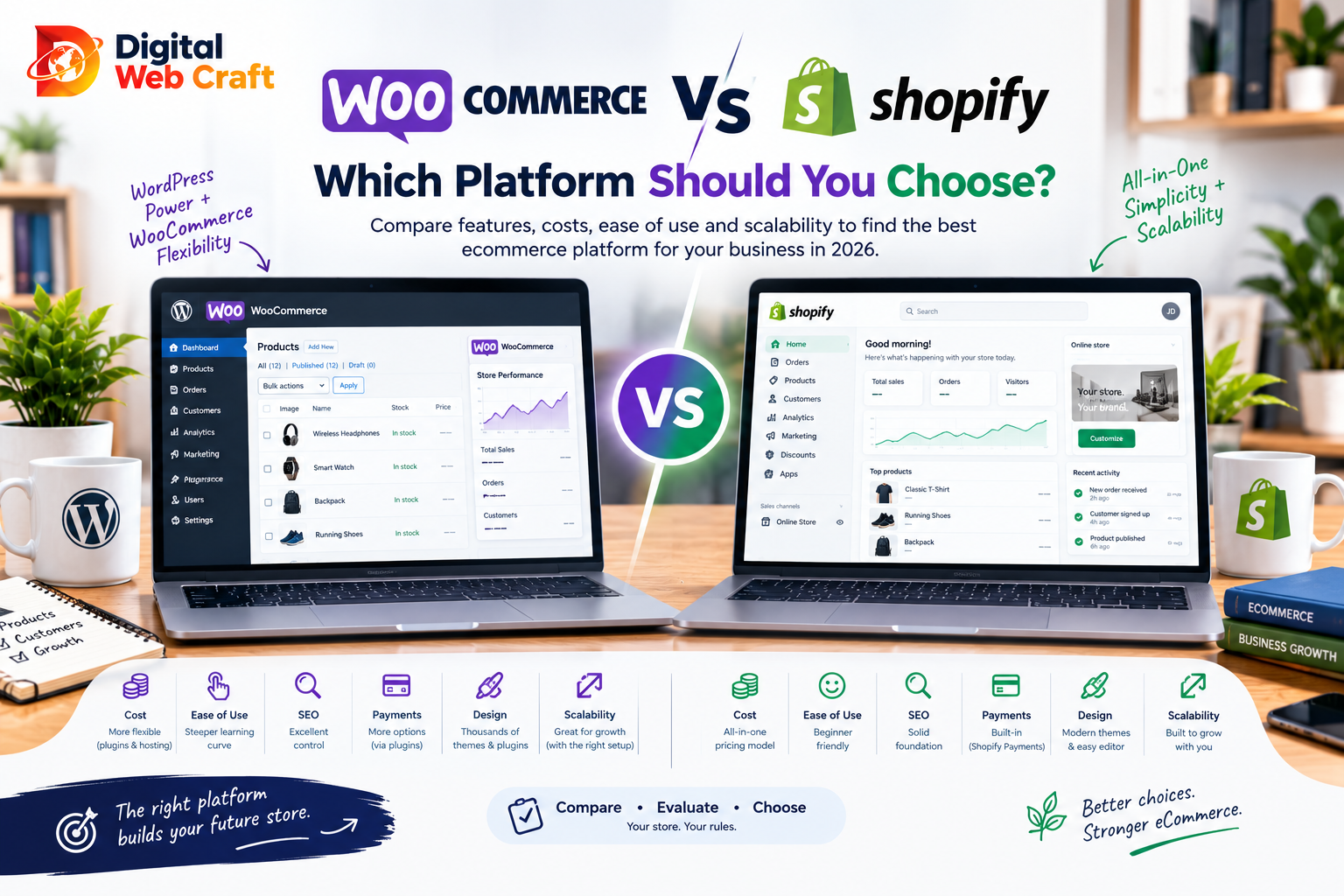
If you are about to open an online store, you will hear two names again and again: Shopify and WooCommerce. Both are proven, both power real businesses of every size, and both can take you from your first sale to a serious operation. Yet they work in very different ways, and choosing the wrong one can mean higher costs, more stress and a painful migration later.
The short version is that Shopify is the easier, all-in-one, hosted option, while WooCommerce is the more flexible, self-managed option built on WordPress. But that summary hides many details that matter: who maintains the store, how much control you need, how your costs behave as you grow, and how important content and SEO are to your strategy.
This guide compares the two honestly, without hype, so you can pick the platform that fits your business rather than the one with the loudest marketing.
Key Takeaways
- Shopify is a hosted, all-in-one platform that handles hosting, security and updates for you, which makes it quicker to launch.
- WooCommerce is a free plugin for WordPress that gives you full control, but you manage hosting, updates, security and performance.
- Shopify costs are more predictable, while WooCommerce costs depend on your hosting, extensions and developer help.
- WooCommerce usually suits content-driven stores, custom requirements and businesses that want full ownership of their data.
- Shopify usually suits businesses that want a polished store fast, with less technical upkeep.
- Both platforms can rank well in search, but WooCommerce gives deeper control over content and technical SEO.
- Payment options, fees and availability vary by country, so check what works where you sell.
- Moving between platforms is possible but takes planning, so choose with your next three years in mind.
- Total cost of ownership matters more than the starting price.
- The best platform is the one your team can run confidently and your customers enjoy using.
The Short Answer
- Choose Shopify if you want to launch quickly, prefer a managed system with minimal technical work, sell standard physical or digital products and are happy to work within the platform’s structure.
- Choose WooCommerce if you already use WordPress, content and SEO are central to your marketing, you need unusual features or full control over code and data, and you have access to a developer or hosting you trust.
- Consider both carefully if you are somewhere in between. Many stores succeed on either, and the difference lies in how much responsibility you want to carry yourself.
What Is Shopify?
Shopify is a hosted ecommerce platform. You pay a subscription, and Shopify provides the store software, hosting, security, checkout and a central dashboard. You choose a theme, add products, connect payments and start selling.
What this means in practice:
- You do not install software or manage servers.
- Updates and security patches happen automatically.
- A large app store adds features such as reviews, subscriptions, loyalty programs and email marketing.
- You work inside Shopify’s structure, which keeps things consistent but limits how deeply you can change some parts, such as checkout.
What Is WooCommerce?
WooCommerce is a free, open-source plugin that turns a WordPress website into an online store. You host the site yourself (or with a hosting provider), install WordPress and WooCommerce, choose a theme and add the extensions you need.
What this means in practice:
- You own the whole system, including the code, database and hosting setup.
- You can customise almost anything, from product pages to checkout logic.
- Because it sits inside WordPress, your store and your blog, landing pages and content live together.
- You are responsible for updates, backups, security and performance, or you pay someone to handle them.
If you are still deciding on WordPress itself, our article on WordPress vs custom websites explains how it compares with other approaches.
Ease of Use and Setup Speed
Shopify is designed so that a non-technical owner can set up a store in days. The dashboard is clean, the setup is guided, and the essentials (products, collections, payments, shipping, taxes) are in one place. There is little to break.
WooCommerce has a longer setup. You need hosting, WordPress installation, a theme, the WooCommerce plugin, payment and shipping extensions, and security and caching configuration. None of it is impossible, but there are more moving parts and more decisions. With a good developer, a WooCommerce store can launch quickly and look excellent. Without one, beginners can feel overwhelmed.
Daily use: Both platforms are easy for managing products and orders once running. Shopify’s admin is typically more consistent, while WooCommerce’s admin lives inside WordPress and can vary depending on installed plugins.
Verdict: Shopify is easier for beginners and faster to launch. WooCommerce rewards those who invest in setup.
Cost: What You Really Pay
Instead of quoting prices that will be out of date, here is how costs are structured so you can build your own estimate. For wider budgeting, see our website cost guide.
Shopify costs typically include:
- A monthly subscription based on plan level.
- Transaction fees or payment processing fees, which depend on the payment provider you use and the plan.
- A theme (many are free, some are paid).
- Paid apps for features beyond the basics, which are often monthly subscriptions that add up.
- Domain registration.
- Developer help for customisation, if needed.
WooCommerce costs typically include:
- WooCommerce itself is free.
- Hosting, which ranges from basic shared hosting to managed or high-performance hosting.
- A domain and SSL certificate (often included with hosting).
- A theme (free or paid).
- Paid extensions for features such as subscriptions, bookings, advanced shipping or memberships, often annual licences.
- Payment processing fees from your chosen provider.
- Maintenance, security and backups, either done by you or by a developer.
- Developer help for setup and customisation.
How to compare fairly:
- List the features you need in your first year (payments, shipping, subscriptions, reviews, email, multilingual).
- Price each one on both platforms, including apps or extensions.
- Add hosting and maintenance for WooCommerce.
- Add the expected payment fees on both, using your real or forecast sales volume.
- Add one-time setup costs, such as design and development.
- Compare the total for year one and year three.
Typical pattern: Shopify’s costs are easy to predict but can rise as you add apps and as sales grow. WooCommerce can look cheaper at the start but may cost more in hosting, maintenance and developer time. At scale, either can be more economical depending on your needs and your team.
Verdict: Neither is automatically cheaper. Total cost of ownership depends on your features, volume and how much you do in-house.
Design and Customisation
Shopify offers a library of professional themes designed specifically for ecommerce, with built-in sections you can rearrange without code. Customising deeper aspects, such as layout logic, requires theme code (using Shopify’s templating language) or a developer. Checkout customisation has historically been more restricted, with options depending on plan and platform updates.
WooCommerce has a huge range of themes, page builders and block editors. Because you control the code, you can build almost any design or experience, from simple stores to highly custom product configurators. The trade-off is that flexibility can lead to heavier themes and plugin conflicts if not managed carefully.
Verdict: Shopify offers polished results with less effort. WooCommerce offers unlimited flexibility with more responsibility. For a distinctive brand experience, a custom-built theme on either platform is the best path. See our work in the portfolio.
Features and Apps or Plugins
Both platforms can be extended.
Shopify apps: A large app store covers reviews, upsells, subscriptions, loyalty, email marketing, shipping, print-on-demand, bundles, translation and more. Apps are usually easy to install and are maintained by their developers, but many carry monthly fees, and too many apps can slow the storefront.
WooCommerce extensions and WordPress plugins: The plugin ecosystem is enormous, covering almost any feature. Some are free, some are paid annual licences. Quality varies, so choose well-maintained plugins and avoid overloading the site.
Built-in features: Shopify includes strong core features such as discounts, gift cards (depending on plan), abandoned cart recovery (depending on plan), analytics and multi-channel selling. WooCommerce’s core covers products, orders, coupons and basic reports, and you add the rest.
Integrations: Both integrate with accounting, shipping, marketing and CRM tools. If your tools lack direct connections, automation platforms can fill the gap. Our comparison of Zapier and Make can help you choose one.
Verdict: Shopify is more plug-and-play. WooCommerce is more open-ended.
Payments and Checkout
Payment options are one of the most important practical differences, and they vary by country.
Shopify offers its own integrated payment solution in supported countries, which simplifies setup. If you use a third-party gateway instead, additional transaction fees may apply depending on your plan. Availability of Shopify’s own payments varies by country, so confirm that it is supported where your business operates.
WooCommerce works with many payment gateways through plugins, including major card processors, wallets and regional methods. Fees depend on the gateway you choose, not on WooCommerce itself. This flexibility is helpful for businesses selling in regions where certain providers are unavailable.
Checkout experience: Shopify’s checkout is widely regarded as polished and optimised, with strong conversion focus and features like saved customer details. WooCommerce’s checkout can be customised extensively, but quality depends on the theme, plugins and developer.
Verdict: If your country supports Shopify’s built-in payments, Shopify is very simple. If you need unusual gateways or local payment methods, WooCommerce may offer more freedom. Always verify both platform and payment provider availability for your country before deciding.
SEO and Content Marketing
Search traffic is vital for many stores, and both platforms support the fundamentals: editable titles and descriptions, clean URLs, sitemaps, redirects, alt text, structured data and mobile-friendly themes.
WooCommerce and SEO:
- It sits on WordPress, a platform built around content.
- You can run a full blog, build landing pages and manage content with powerful SEO plugins.
- You have complete control over URL structures, redirects, technical settings and server configuration.
- This is a major advantage for stores that rely on content marketing, guides and category-rich websites.
Shopify and SEO:
- It handles the technical basics well out of the box, including SSL, fast hosting and automatic sitemaps.
- It includes a blog, though content management is less flexible than WordPress.
- URL structure has some fixed patterns (for example, products appear under set paths), which limits some custom setups.
- Many SEO tasks are straightforward, but some advanced technical changes are harder.
Important point: Platform choice does not guarantee rankings. Product content, site speed, internal linking, authority and technical health matter more. Use our technical SEO checklist on either platform, and consider our SEO services for ecommerce.
Verdict: Both can rank. WooCommerce has an edge for content-heavy strategies and fine-grained control. Shopify is easier to keep technically healthy with little effort.
Performance and Speed
Shopify stores are hosted on a managed, optimised infrastructure with a content delivery network, so baseline performance is generally good. Speed problems usually come from heavy themes, large images and too many apps that add scripts.
WooCommerce performance depends heavily on your hosting, theme, plugin choices and caching. A well-built WooCommerce store on quality hosting can be extremely fast. A poorly configured one on cheap hosting can be slow and frustrating, especially with large catalogues.
Tips for either platform:
- Compress and correctly size images.
- Limit apps or plugins to those you truly need.
- Use a lightweight theme.
- Test on mobile devices.
- Monitor Core Web Vitals over time.
If you choose WooCommerce, good infrastructure is essential. Our managed hosting is designed for business sites and stores.
Verdict: Shopify gives consistent baseline speed. WooCommerce can match or beat it with the right setup.
Security and Maintenance
Online stores handle customer data and payments, so security matters.
Shopify manages hosting security, SSL, platform updates and many compliance requirements for card payments on its checkout. You still need to protect your admin accounts, choose trustworthy apps and follow good practices.
WooCommerce requires you (or your developer) to manage security. That includes keeping WordPress, WooCommerce, themes and plugins updated; using strong passwords and two-factor authentication; maintaining backups; using a firewall and monitoring for malware; and choosing a secure host. Most WooCommerce security problems come from outdated or poorly maintained plugins and weak hosting.
Maintenance workload:
- Shopify: low. Occasional app and theme reviews.
- WooCommerce: moderate. Regular updates, testing, backups and monitoring.
Verdict: Shopify is safer by default for non-technical owners. WooCommerce can be very secure but needs ongoing care.
Scalability and Growth
Shopify scales well for most small and medium stores and many large ones. Infrastructure is handled for you, which helps during traffic spikes such as sales events. Very large or highly complex businesses may need higher-tier plans or custom solutions.
WooCommerce can also scale to large catalogues and high traffic, but you need appropriate hosting, caching, database optimisation and development expertise. Scaling is possible, but it is your responsibility.
Complex needs:
- Large catalogues: both can work; WooCommerce requires careful database and hosting setup.
- Multi-currency and multi-language: both support these through built-in features or add-ons, with varying complexity.
- B2B and wholesale: both can handle with apps or plugins; check requirements closely.
- Subscriptions and memberships: both have strong solutions through apps or extensions.
- Custom business logic: WooCommerce usually offers more freedom.
Verdict: Shopify scales with less technical work. WooCommerce scales with more control and more responsibility.
Product Types and Special Cases
Physical products: Both handle these well, including variants, inventory and shipping rules.
Digital downloads: Both support digital products, with WooCommerce offering flexible options through plugins and Shopify through apps.
Subscriptions: Both offer solutions, usually via extensions or apps.
Bookings and appointments: WooCommerce has a broad range of booking plugins. Shopify supports booking through apps, with more varied results.
Dropshipping and print-on-demand: Both integrate with popular providers, and Shopify is particularly well known for easy setup.
Marketplaces and multi-vendor stores: WooCommerce can support these with specialised plugins. Shopify can too through apps or custom solutions, though it is more constrained.
Highly custom products (configurators, quoting): WooCommerce or a custom solution is typically more flexible.
Support and Community
Shopify provides official support, documentation and a large community, plus a wide network of experts and agencies. Because it is a single company’s product, there is one place to ask for help with platform issues.
WooCommerce has extensive documentation and a huge global community, but support is distributed. Core WooCommerce, your theme, each plugin and your host may each have separate support channels. When something breaks, finding the cause can take longer. This is where having a reliable developer or agency pays off.
Shipping, Taxes and International Selling
Both platforms support shipping zones, rates, tax settings and multiple currencies, with details varying by region.
Things to check before choosing:
- Which shipping carriers integrate directly in your country?
- How does each platform handle tax rules where you sell?
- Can you display prices in local currencies and accept local payment methods?
- How easy is it to offer multiple languages?
- Are there compliance needs, such as VAT, GST or sales tax collection?
Test these with real examples from your business. They can matter more than design preferences.
Data Ownership and Lock-In
WooCommerce gives you complete ownership. You can move your site, database and code between hosts. You are not tied to one company’s roadmap or pricing.
Shopify lets you export products, customers and orders, but the platform itself, including theme code and apps, belongs to its ecosystem. If Shopify changes its pricing, features or policies, you work within those changes. Migrating away is possible but takes effort.
Neither option is automatically better. Ownership matters more if you value independence and have technical support. Convenience matters more if you want to focus on selling.
Which Businesses Should Choose Shopify
Shopify is often the better fit for:
- First-time store owners who want a fast, guided launch.
- Businesses without technical staff or a developer on call.
- Brands focused on selling standard physical or digital products.
- Direct-to-consumer brands that want reliable, polished checkout.
- Dropshipping and print-on-demand businesses.
- Merchants who want predictable, managed infrastructure.
- Teams that sell across social media and multiple channels from one dashboard.
Which Businesses Should Choose WooCommerce
WooCommerce is often the better fit for:
- Businesses that already have a WordPress website.
- Content-driven brands where blogging and SEO are central to growth.
- Stores needing unusual products, pricing logic or custom features.
- Businesses that sell in regions with limited payment options on hosted platforms.
- Companies that want full ownership of code and data.
- Merchants with a developer or agency who will maintain the store.
- Stores that combine ecommerce with memberships, bookings, courses or community features.
For help with either path, see our ecommerce services.
Decision Checklist
Mark each statement that is true for your business.
Leans Shopify:
- I want to launch within a few weeks.
- I do not have technical staff or a regular developer.
- My products and checkout needs are fairly standard.
- I prefer predictable monthly costs.
- Payments are well supported where I operate.
- I want minimal maintenance.
Leans WooCommerce:
- I already use WordPress or plan a content-heavy site.
- SEO and long-form content are central to my marketing.
- I need custom features or unusual product logic.
- I want full ownership and flexibility.
- I need specific payment gateways or regional methods.
- I have a developer or agency to maintain the site.
Reading your results:
- More Shopify statements: choose Shopify and invest in a good theme and a small set of trusted apps.
- More WooCommerce statements: choose WooCommerce and invest in quality hosting and maintenance.
- A tie: list your three most important requirements and pick the platform that serves those best. If you still cannot decide, try our free AI Project Planner or talk to us.
Migrating Between the Two
Many stores start on one platform and later move to the other. Planning prevents lost sales and rankings.
Migration checklist:
- Audit what you have: products, variants, customers, orders, reviews, discount codes, pages, blog posts and URLs.
- Decide what to move: not everything is worth keeping.
- Use proven migration tools or a developer for products, customers and orders, and review results carefully.
- Map old URLs to new ones and set up 301 redirects to protect rankings.
- Rebuild integrations: payments, shipping, tax, email, accounting and analytics.
- Test thoroughly on a staging site, including checkout, emails and discount logic.
- Plan the launch window during a quieter period, and inform customers if accounts or passwords will change.
- Monitor after launch: orders, errors, Search Console, speed and customer feedback.
Common Mistakes to Avoid
Choosing on starting price alone. The cheapest start is not always the cheapest total.
Overloading with apps or plugins. Each one adds cost, complexity and potential slowdown.
Choosing WooCommerce without a maintenance plan. Updates and backups are essential.
Choosing Shopify without checking payment availability. Confirm it works for your country and customers.
Ignoring mobile. Most shoppers use phones. Test the full journey on real devices.
Weak product content. Thin descriptions and poor photos hurt both sales and SEO.
No plan for traffic. A store with no marketing will have no visitors on either platform.
Skipping policies. Shipping, returns and privacy pages build trust and are often required.
Forgetting about the long term. Choose for where your business will be in three years, not just next month.
Switching platforms too early. Fix the real problem first, because the platform is rarely the main reason a store underperforms.
Frequently Asked Questions
Neither is better for everyone. Shopify is easier and faster for most beginners, while WooCommerce offers more flexibility and control, especially for content-driven or custom stores.
It depends on your features, hosting, apps or extensions, payment fees and maintenance. WooCommerce itself is free but needs hosting and upkeep, while Shopify has a subscription and often paid apps. Compare total cost for year one and year three.
It can be, especially with a developer or agency helping with setup. Beginners working alone may find Shopify simpler because hosting, security and updates are handled for them.
Yes. It handles the technical basics well and supports titles, descriptions, sitemaps and redirects. WooCommerce gives more control for advanced SEO and content strategies, but results depend mainly on your content and site quality.
No. WooCommerce is a WordPress plugin, so you need a WordPress site to run it.
Small businesses without technical resources often prefer Shopify, while those with WordPress experience, content plans or custom needs often prefer WooCommerce. Use the decision checklist to decide.
Yes, with the right hosting, caching and development. Large WooCommerce stores need careful optimisation and ongoing technical care.
They depend on your plan and on whether you use Shopify’s own payment solution or a third-party gateway. Fees and availability change and vary by country, so check Shopify’s current pricing page.
Yes. You can export and import products, customers and orders, but you will need to rebuild the design, set up redirects and test everything. Plan the move carefully to protect sales and rankings.
Both have excellent options. Shopify offers polished ecommerce themes with simple customisation, while WooCommerce offers nearly unlimited design freedom through themes, builders and custom development.
Not for a simple store, especially on Shopify. For custom design, complex features, integrations or a WooCommerce store you cannot maintain yourself, a developer is strongly recommended.
Check payment gateway availability first. WooCommerce often has more options for regional gateways, while Shopify’s built-in payments may not be available everywhere. Confirm both the platform and the payment provider before you commit.
Final Thoughts
The WooCommerce versus Shopify debate is really a question of how much you want to build and manage yourself. Shopify gives you speed, simplicity and peace of mind. WooCommerce gives you freedom, ownership and depth. Both can power a successful store, and both can disappoint if they do not match the way you work.
Start with your real needs: your products, your team, your markets, your payment options and your marketing plan. Estimate the total cost over several years, not only the first month. Then choose the platform that makes running your business easier, not harder.
If you would like honest advice, the Digital WebCraft team builds both Shopify and WooCommerce stores and will recommend the one that fits, not the one that is easiest for us. Explore our ecommerce services, see our services and packages, outline your store with the free AI Project Planner, or book a free consultation.
Written by
Aamir Khan
As a Senior Web Developer at Digital Web Craft since June 2026, I focus on building scalable, high-performing web experiences. My role emphasizes innovative web development solutions, leveraging my skills in web application development and delivering meaningful results. With a Higher Diploma in Software Engineering from Aptech Learning, I bring a solid foundation in computer science to my work. My goal is to create impactful, user-centric digital solutions that align with organizational objectives while continuing to grow as a professional in web development.