
Next.js for Business Websites: What It Is, When to Use It and When WordPress Is Enough

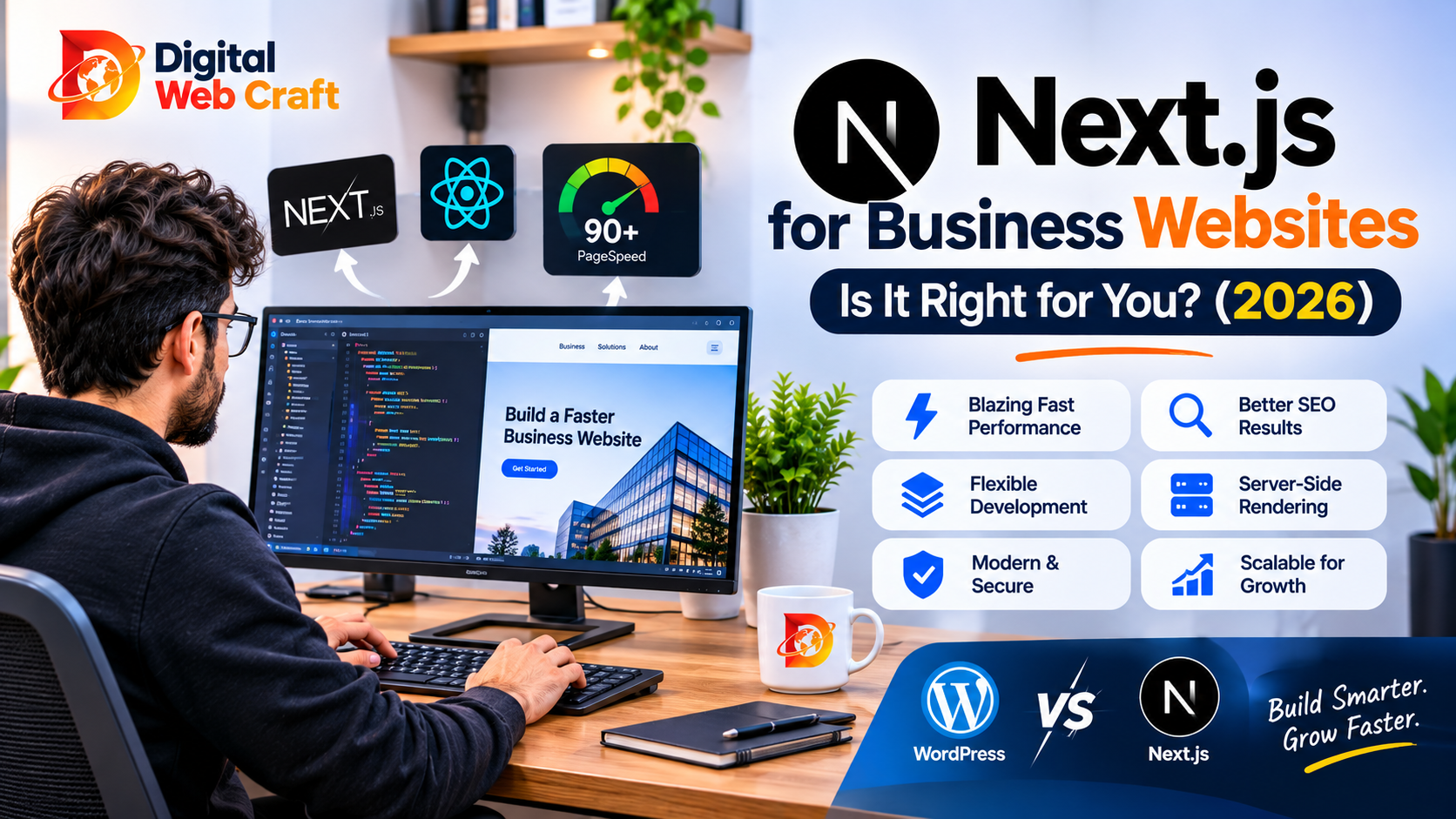
If you have talked to developers recently, you have probably heard the name Next.js. It is mentioned in agency proposals, startup job posts and technical blogs, usually with a lot of enthusiasm and very little explanation. For a business owner, that is frustrating. You do not need to learn to code, but you do need to know whether it is the right foundation for your website, and whether you are being sold something you do not need.
This guide explains Next.js in plain language: what it is, what problems it solves, how it affects speed, SEO and cost, where it falls short and how it compares with WordPress and other options. By the end you will be able to judge whether a Next.js website makes sense for your business, and ask smart questions if a developer suggests it.
Key Takeaways
- Next.js is a framework built on React that helps developers build fast, search-friendly websites and web applications.
- It can pre-build pages, render them on the server or update them in the background, which helps speed and SEO.
- It is a strong choice for custom marketing sites, web apps, SaaS products and sites where performance and design control matter.
- It is not a ready-made website builder, so you need developers, and content editing usually requires a separate content management system.
- WordPress is often cheaper and faster to launch for standard business websites, blogs and small stores.
- A headless setup combines a familiar editor, such as WordPress or another CMS, with a Next.js front end for the best of both.
- Next.js does not guarantee rankings or speed, because results depend on how the site is built, hosted and maintained.
- Ongoing costs include developer time, hosting, a CMS and updates to the framework and dependencies.
- Choose it for a clear reason, such as custom functionality, performance goals or a web application, not because it is fashionable.
- Make sure you own the code, the repository, the hosting account and the content before the project begins.
The Short Answer
Next.js is a toolkit developers use to build modern websites and web apps with React. It is popular because it produces fast pages, works well with search engines and lets developers build almost anything.
- Choose Next.js if you need a custom design, unusual features, a web application, a portal, a SaaS product or very strong performance, and you have a developer or agency to build and maintain it.
- Choose WordPress if you need a standard business website, a blog or a small online store, want to launch quickly on a modest budget and want to manage content yourself.
- Choose both together (headless) if you want a Next.js front end with an easy editor behind it.
Neither is better in general. The right answer depends on what you are building and who will look after it.
What Next.js Actually Is
Think of building a website like building a house. You can buy a pre-built home (a website builder or a ready-made WordPress theme), or you can have one designed and built for you. Next.js belongs to the second group. It is not the house. It is a set of tools and a well-organised construction system that helps builders construct custom houses faster and more reliably.
Technically, Next.js is an open-source framework created and maintained by the company Vercel, built on top of React, a widely used JavaScript library for building user interfaces. It adds features that React alone does not provide out of the box, including:
- Routing: the structure of your pages and how links work.
- Rendering options: choosing how and when each page is generated.
- Image, font and script optimisation: built-in tools that help pages load quickly.
- Data fetching: simple ways to load content from databases, APIs or a CMS.
- Backend features: the ability to create server-side endpoints and handle forms.
- Metadata and SEO tools: control over titles, descriptions, sitemaps and structured data.
In short, it gives developers a strong, organised starting point for modern sites.
If you want to see which technologies we work with, visit our technologies page.
React, Next.js and How They Fit Together
If these names feel confusing, here is the simple version.
- JavaScript is the programming language of the web browser.
- React is a library that helps developers build interactive pieces of a page, such as menus, forms and product filters, using reusable components.
- Next.js is a framework that uses React and adds everything needed to build a complete website or application: pages, routing, performance tools and server features.
Using React alone is like having good building materials. Using Next.js is like having those materials plus blueprints, a construction crew and quality checks.
You do not need to know how any of this works, but it helps to understand that a Next.js site is built from code by developers. It is not something you install and configure through a dashboard, as you might with WordPress.
How Next.js Builds Pages: Static, Server and Hybrid
One reason Next.js is popular is that it gives developers flexibility in how each page is created. These ideas matter for speed and SEO.
Static generation. Pages are built in advance, ahead of time, as ready-made files. When a visitor arrives, the server simply hands over the finished page. This is extremely fast and works well for content that does not change every minute, such as service pages, blog posts and company information.
Server-side rendering. Pages are built on the server each time someone asks for them. This is useful for content that changes frequently or is personalised, such as dashboards, account pages and live inventory. It is slower than serving a pre-built page but always fresh.
Incremental updates. Pre-built pages can be refreshed in the background after a set time or when content changes, so you get the speed of static pages with up-to-date content.
Client-side rendering. Some parts of a page, such as interactive widgets, can load in the visitor’s browser after the main page appears.
Hybrid approach. Within a single website, developers can mix these methods. A marketing page may be static, a product page may update periodically and a user dashboard may render on the server.
For a business owner, the practical message is this: Next.js lets developers choose the right method for each page, which can deliver speed without giving up flexibility.
Why Speed Matters for Your Business
Visitors are impatient. If a page takes too long to appear, many leave before they read a word. Slow sites also frustrate people on mobile connections and can hurt how search engines view your pages.
Speed affects:
- Conversions: faster pages make it easier for visitors to take action.
- User experience: smooth, quick interactions build trust.
- Search visibility: page experience is part of how sites are evaluated, alongside content quality.
- Advertising results: if you pay for traffic, slow landing pages waste your budget.
Next.js provides tools that help developers build fast sites, such as automatic image optimisation, code splitting (loading only the code needed for each page), font handling and pre-built pages. But tools do not guarantee results. A poorly built Next.js site with huge images, heavy third-party scripts and slow hosting can be just as slow as any other. Speed comes from good engineering and good hosting, not from the framework’s name.
For more on this subject, see our technical SEO checklist.
Next.js and SEO
Search engines need to read and understand your pages. Historically, sites built heavily with JavaScript could be harder for search engines to process, because content appeared only after scripts ran in the browser. Next.js helps solve this by allowing pages to arrive as fully formed HTML, so crawlers can see the content immediately.
SEO strengths of Next.js:
- Pre-rendered or server-rendered pages that are easy for crawlers to read.
- Built-in ways to set page titles, descriptions, canonical URLs and social sharing tags for each page.
- Control over URLs, redirects and sitemaps.
- Support for structured data (schema markup).
- Good performance potential, which supports page experience.
- Full control over the code, which helps with advanced technical SEO.
What Next.js does not do:
- It does not write your content, build your authority or research keywords.
- It does not automatically fix poor site structure or thin pages.
- It does not add SEO features for you. A developer has to set up metadata, sitemaps and schema properly.
Compared with WordPress, where SEO plugins make many tasks point-and-click, a Next.js site needs these features built or configured by developers. That is not a disadvantage if your team does it well, but it must be part of the project scope. If you want help with both build and search strategy, see our SEO services.
Content Management: Who Edits the Website?
This is the question many owners forget to ask, and it decides whether a Next.js project will be pleasant or painful after launch.
Next.js itself is not a content management system. It displays content, but it does not give you a dashboard to write blog posts or edit page text. Options include:
1. Content in the code. Text lives in the website files, and developers change it. This is simple and fast, but every edit needs a developer. It suits small, rarely changing sites.
2. A headless CMS. A separate system provides an editing dashboard, and Next.js fetches the content and displays it. Examples include Sanity, Contentful, Strapi and many others, as well as WordPress used in headless mode. This is the most common choice for business sites.
3. Markdown or file-based content. Content is written in simple text files in a repository. It is good for technical blogs and documentation, but it is less friendly for non-technical editors.
4. A custom admin panel. Developers build a dashboard tailored to your needs. This is powerful but adds to the project’s cost.
Ask this before you agree to any Next.js project: “How will I edit text, images and blog posts myself, and what will it cost?” If the answer is “call us every time,” think carefully.
Headless WordPress with Next.js
A popular and practical combination is headless WordPress. WordPress stays in the background as your content editor, with the familiar dashboard, users and roles, and the Next.js front end displays the website.
Benefits:
- Your team keeps a familiar editor.
- Visitors get a fast, custom-designed front end.
- You can reuse existing WordPress content.
- The design is not limited by WordPress themes.
Trade-offs:
- You now manage two systems: WordPress and the Next.js front end.
- Many WordPress plugins that affect the front end, such as page builders, forms and some SEO features, do not work automatically and may need rebuilding.
- Previews, search, forms and comments need extra setup.
- Costs and complexity are higher than a standard WordPress site.
This approach is worth considering when you need front-end performance and design freedom but want to keep a WordPress editing experience. For most small businesses with standard needs, a well-built regular WordPress site is more economical. Our article on WordPress vs custom websites covers that trade-off in more depth.
Next.js vs WordPress
| Factor | Next.js | WordPress |
|---|---|---|
| What it is | A developer framework for building custom sites and apps | A content management system with themes and plugins |
| Setup speed | Slower, as it needs custom development | Faster, using themes and plugins |
| Design freedom | Very high | High, though templates can limit you |
| Content editing | Needs a CMS or custom admin | Built-in editor |
| Typical cost to build | Higher | Lower for standard sites |
| Performance potential | Excellent when built well | Good with quality hosting and a lean build |
| SEO setup | Must be built or configured by developers | Easy with SEO plugins |
| Plugins and ready-made features | Fewer ready-made options, more custom work | Huge plugin ecosystem |
| Maintenance | Dependency and framework updates by developers | Core, plugin and theme updates |
| Best for | Web apps, custom marketing sites, SaaS, performance-focused projects | Business sites, blogs, small stores, content-led sites |
A fair summary: WordPress is usually the fastest route to a professional website you can manage yourself. Next.js is usually the better foundation when the website behaves like software or needs unique functionality and performance.
Next.js vs Other Options
Compared with a website builder (Wix, Squarespace and similar): builders are quick and easy but limited in customisation and long-term flexibility. Next.js offers far more control but needs developers.
Compared with a fully custom backend site (Laravel, Django, Rails): these frameworks are excellent for data-heavy applications. Next.js can handle many of the same jobs and is especially strong on front-end performance and user experience. Many teams combine a separate backend with a Next.js front end.
Compared with plain React: Next.js adds routing, rendering options, SEO tools and performance features, so most new React websites choose a framework such as Next.js instead of plain React.
Compared with other React frameworks and static site generators: there are good alternatives, and the best choice depends on your team and goals. Next.js is among the most widely adopted, which means plenty of developers, documentation and community support.
Compared with Shopify or WooCommerce for stores: hosted and plugin-based platforms are generally faster and cheaper for standard online stores. Next.js can power a highly customised storefront, often as the front end of a headless commerce setup. See our comparison of WooCommerce and Shopify if you are weighing store platforms.
What You Can Build with Next.js
Next.js is flexible. Typical projects include:
- Custom marketing and company websites where design and performance are priorities.
- Web applications and dashboards for customers or staff.
- SaaS products with accounts, subscriptions and user data.
- Client portals with login, documents and messaging.
- Booking or quoting tools with custom rules.
- Headless ecommerce storefronts connected to commerce platforms.
- Directories and marketplaces with search and filtering.
- Documentation sites and knowledge bases.
- Landing page systems for fast campaign testing.
- Progressive web apps that feel app-like on phones.
If your idea falls in the second half of this list, you are likely looking at software, not just a website, and Next.js may be an excellent choice. For app-style projects on phones, also read our guide to mobile app costs.
Hosting and Deployment
Where your Next.js site runs matters.
Managed platforms. Many teams host Next.js on platforms designed for modern front-end frameworks, such as Vercel, which is the company behind Next.js, or similar services. These platforms automate deployment, provide global content delivery and scale automatically. They are convenient but may charge based on usage, so understand the pricing model.
Your own servers or containers. Next.js can also run on a standard Node.js server or in containers on cloud providers such as AWS, Google Cloud or Azure, or on a virtual private server. This offers more control and can be economical at certain scales, but requires more technical management.
Static export. For simple sites, pages can be exported as static files and hosted almost anywhere, including conventional web hosting, though some features that need a server will not be available.
Practical questions:
- Who owns and pays for the hosting account? It should be in your name.
- What happens if traffic spikes?
- How are deployments, backups and rollbacks handled?
- Where is the content stored, and how is it protected?
If your project includes an ordinary website or WordPress component, our managed hosting can handle that part.
Cost: What You Pay For
We do not quote prices here, because they vary by scope, region and team. Instead, here is the shape of the costs.
One-time costs:
- Planning and discovery.
- UX and UI design.
- Front-end development in Next.js.
- CMS setup and content modelling (if using a headless CMS).
- Integrations (forms, payments, CRM, analytics, email).
- Content migration.
- Testing, performance tuning and SEO setup.
Recurring costs:
- Hosting and content delivery.
- CMS subscription or hosting.
- Third-party services (search, forms, email, analytics).
- Maintenance and framework updates by developers.
- Monitoring, backups and security reviews.
- Ongoing improvements.
How it compares: A custom Next.js build generally costs more upfront than a template-based WordPress site, because more is built from scratch. Over time, costs depend on how much you change the site, how complex it is and how much maintenance it needs. For help planning a realistic budget, read our website cost guide.
Security
A Next.js site can be very secure, and it has some natural advantages. Statically generated pages have a small attack surface, because there is no public admin login or database exposed on every page. There is also no sprawling plugin ecosystem to patch.
But security is never automatic.
Risks to manage:
- Outdated dependencies and libraries, which need regular updates.
- Mistakes in custom server code, forms and APIs.
- Exposed secrets, such as API keys stored in the wrong place.
- Weak authentication in portals and dashboards.
- A poorly secured CMS or hosting account.
Good practices:
- Keep dependencies updated and monitor for known vulnerabilities.
- Store secrets safely and never in public code.
- Use strong authentication and role controls.
- Validate and sanitise all user input.
- Use HTTPS, security headers and rate limiting where appropriate.
- Review access to code repositories, hosting and the CMS.
Limitations and Trade-offs
An honest guide must also tell you where Next.js is not ideal.
It needs developers. You cannot install a theme and start. Even small changes may need a developer unless you have a CMS set up.
Higher upfront cost for standard sites. If you need a simple brochure site, a template-based solution may deliver the same business result for less.
Fewer ready-made features. Where WordPress has a plugin for almost everything, a Next.js project may require custom development or third-party services.
Framework changes. Next.js evolves quickly. Major updates can change recommended patterns and may require code updates. A good developer plans for this.
Complexity. The flexibility of choosing rendering and caching strategies can lead to mistakes if the team lacks experience.
Developer dependence. If the original developer leaves, you need documentation and a standard setup so someone else can take over.
Hosting cost surprises. Usage-based hosting can become expensive if the site is not optimised or if traffic grows quickly.
None of these are reasons to avoid Next.js. They are reasons to choose it deliberately and plan properly.
Who Should Choose Next.js
Next.js is often a good fit for:
- Startups and SaaS companies building a product and a marketing site on one technology.
- Businesses with unusual functionality, such as custom calculators, portals, dashboards or booking logic.
- Brands where design and speed are central, and where templates feel limiting.
- Companies that need integrations with many APIs and internal systems.
- Teams that already work with React and want a consistent stack.
- Large content sites that need strong performance and flexible architecture.
- Organisations planning for growth where the website will keep evolving into a larger platform.
Who Should Not
Next.js is probably not the best fit for:
- Small businesses wanting a simple, affordable website with a few pages and a blog.
- Owners who want to manage everything themselves without developer help.
- Projects with very tight budgets and short timelines where a template-based approach works.
- Stores with standard needs, where Shopify or WooCommerce provides ready-made tools.
- Teams without ongoing technical support, since maintenance still matters.
In these cases, a well-built WordPress or Shopify site is usually more practical.
Decision Checklist
Mark the statements that are true for your project.
Leans Next.js:
- The site needs custom features that plugins cannot provide.
- It is a web application, portal or SaaS product.
- Performance and a unique design are top priorities.
- We have a developer or agency to build and maintain it.
- We are comfortable with a higher upfront budget.
- We plan to keep evolving the site significantly.
Leans WordPress or another ready-made platform:
- We need a standard business website, blog or small store.
- We want to launch quickly on a moderate budget.
- Non-technical staff will manage content daily.
- Plugins already cover our needed features.
- We do not have ongoing developer support.
Leans headless (WordPress or another CMS plus Next.js):
- We want a custom, fast front end but a familiar editing experience.
- We already have a lot of content in WordPress.
- Multiple channels, such as a website and an app, will use the same content.
If the result is unclear, outline your goals in our free AI Project Planner, and our team can suggest an approach.
Questions to Ask a Developer Proposing Next.js
- Why Next.js for this project, and what would you use instead if the budget were smaller?
- How will I edit content, and which CMS will we use?
- How will you handle SEO: metadata, sitemaps, redirects and schema?
- Where will the site be hosted, and who owns the account?
- What are the expected hosting and CMS costs each month?
- How do you handle updates to Next.js and dependencies?
- Who maintains the site after launch, and what does that cost?
- How do you test performance, accessibility and mobile behaviour?
- Will I own the code, repository and all accounts?
- Is the code documented so another developer could take over?
- What are the biggest risks you see in this approach?
A trustworthy developer will answer these clearly. Our guide on how to hire a web developer includes more questions, red flags and contract tips.
Common Mistakes to Avoid
Choosing Next.js because it is trendy. Choose it for a clear business reason.
Forgetting about content editing. A fast site that nobody can update becomes a burden.
Skipping SEO planning. Metadata, redirects and structured data must be part of the build.
Ignoring performance after launch. Large images, heavy scripts and third-party widgets can slow the site.
Not owning accounts. Domain, hosting, repository and CMS should be in your name.
Underestimating maintenance. Dependencies and frameworks need regular updates.
Overengineering. A simple site does not need a complex architecture.
Skipping documentation. Without it, you depend entirely on one developer.
Not testing on real devices. Check mobile, slow connections and different browsers.
Expecting rankings automatically. The framework helps, but content, links and authority drive results.
Frequently Asked Questions
Next.js is used to build fast, search-friendly websites and web applications with React. Common uses include custom business websites, SaaS products, dashboards, client portals and headless ecommerce storefronts.
Yes, it can be. It supports pre-rendered and server-rendered pages that search engines can read easily, and it gives developers control over metadata, URLs and structured data. Results still depend on content quality and proper setup.
Not in general. WordPress is usually faster and cheaper for standard business websites and blogs. Next.js is better for custom functionality, web applications and projects where performance and design control are top priorities.
Yes. Next.js is a developer framework, so building and maintaining a site requires technical skills. A headless CMS can let non-technical staff edit content once the site is built.
Yes. In a headless setup, WordPress manages content while Next.js displays the website. This keeps a familiar editor and adds a custom, fast front end, but it increases complexity and cost.
The framework itself is free and open source. You still pay for development, hosting, any CMS or services and ongoing maintenance.
It can be very fast when built well, thanks to features like pre-rendered pages and image optimisation. Speed still depends on your images, scripts, hosting and code quality.
It depends on scope, design, features, integrations and who builds it. Custom projects usually cost more upfront than template-based WordPress sites. The best way to get a real number is to write a clear brief and request an itemised quote.
Options include managed platforms such as Vercel, other cloud providers or your own servers. Choose based on traffic, budget, features and the technical skills available, and make sure the hosting account is in your name.
Yes, usually as a custom storefront connected to a commerce platform or backend. For standard stores, Shopify or WooCommerce is often quicker and more economical.
It can be very secure, especially for statically generated pages. Security still depends on keeping dependencies updated, protecting secrets, securing forms and authentication and managing hosting and CMS access properly.
Only if it has a clear need, such as custom features or a web application, and ongoing technical support. For a simple website, a well-built WordPress site is usually a better value.
Final Thoughts
Next.js is a powerful and well-regarded framework, and for the right project it is an excellent choice. It can deliver fast pages, a distinctive design and the flexibility to grow from a website into a full application. But it is a tool for builders, not a shortcut, and it makes the most sense when your requirements justify the extra effort and cost.
Before you commit, be clear about your goals, how content will be edited, who will maintain the site and how much you are prepared to invest over time. Ask the questions in this guide, compare options honestly and choose the approach that serves your business, not the one that sounds the most impressive.
If you would like straight advice on whether Next.js, WordPress, Shopify or a headless combination suits your project, the Digital WebCraft team works with all of them and will recommend what fits. Explore our services, review our technologies and portfolio, see our packages, outline your idea with the free AI Project Planner or book a free consultation.
Written by
Aamir Khan
As a Senior Web Developer at Digital Web Craft since June 2026, I focus on building scalable, high-performing web experiences. My role emphasizes innovative web development solutions, leveraging my skills in web application development and delivering meaningful results. With a Higher Diploma in Software Engineering from Aptech Learning, I bring a solid foundation in computer science to my work. My goal is to create impactful, user-centric digital solutions that align with organizational objectives while continuing to grow as a professional in web development.