
WordPress Development Explained: How Custom WordPress Websites Are Really Built

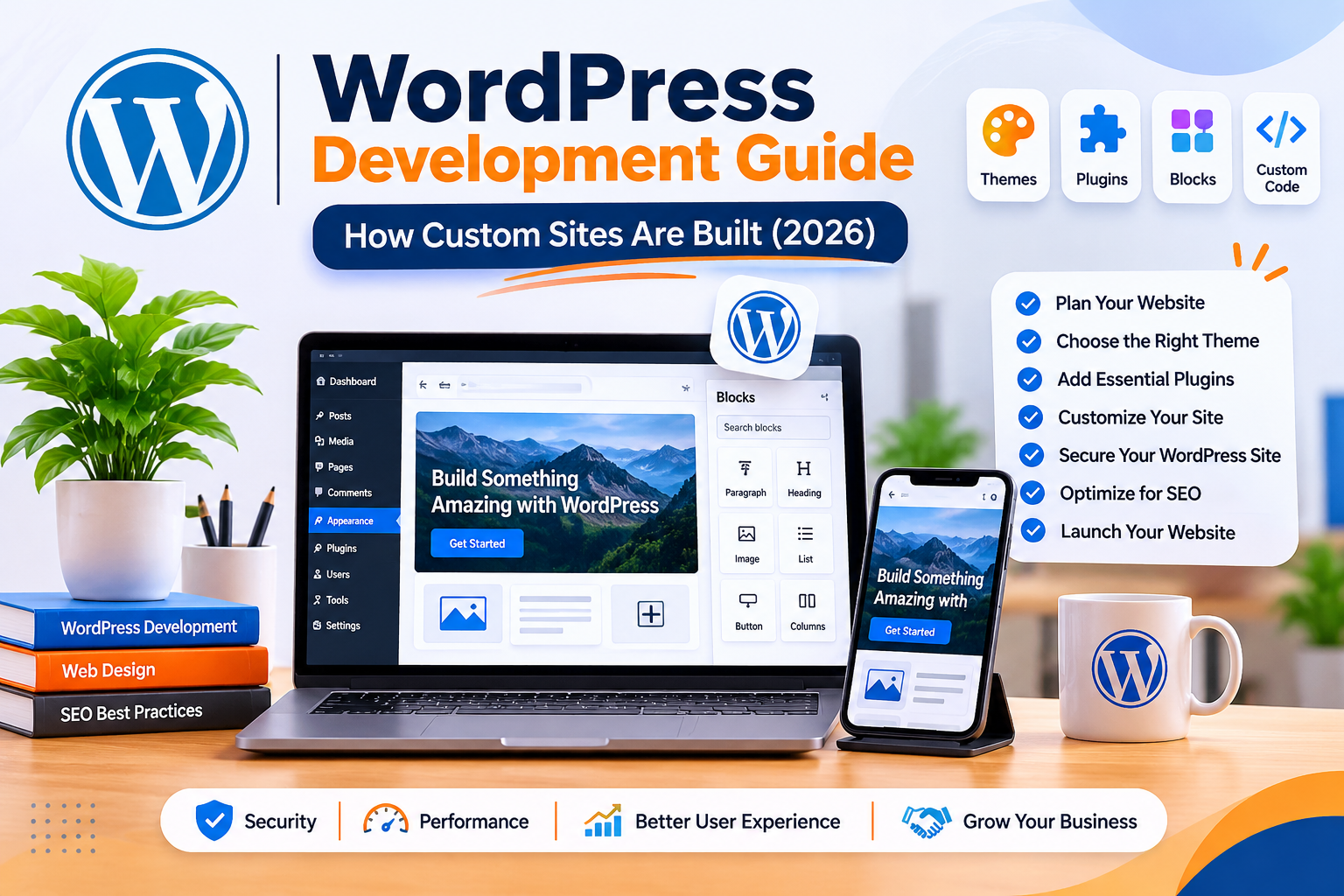
“We build on WordPress” can mean very different things. For one agency it means buying a theme, installing a dozen plugins and typing in your text. For another it means designing a lean theme from scratch, writing custom code for features nobody else has and testing it like software. Both are called WordPress development, and the results, costs and risks are not remotely the same.
This guide explains what WordPress development actually involves, from the core system to themes, plugins and blocks, how a professional project runs from start to launch, how much custom code you really need and what to ask before you hire someone. It is written for business owners, so there is no code, just the decisions that matter.
Key Takeaways
- WordPress is a content management system made of a core, a database, themes and plugins, and development means shaping all four of them to fit your business.
- There are several levels of WordPress development, from configuring a ready-made theme to building a fully custom theme and plugins.
- A custom theme is usually faster and cleaner than a heavy multipurpose theme, but it costs more upfront.
- Custom plugins and custom code are worth it when a business need cannot be met safely by existing plugins.
- Modern WordPress uses blocks, which let developers build editing experiences that are easier for non-technical staff.
- A professional workflow uses staging sites, version control and testing, not edits on the live site.
- Security, speed and SEO should be built in from the start, not added after launch.
- Good development leaves you with documented code, clear ownership and a site another developer can maintain.
- Total cost includes hosting, licences, maintenance and improvements, not only the build.
- The right level of development is the smallest one that reliably meets your goals.
What WordPress Development Means
WordPress development is the work of planning, building, customising and maintaining a website on the WordPress platform. Depending on the project, it can include:
- Installing and configuring WordPress.
- Choosing or building a theme that controls design and layout.
- Selecting, configuring or writing plugins that add features.
- Creating the content structure, such as page types, categories and fields.
- Connecting the site to other tools, such as email, CRM and payments.
- Optimising speed, security and search visibility.
- Testing, launching and maintaining the site.
The word “development” matters. Setting up a template with your logo is configuration. Development means writing or deeply adapting code so that the site does exactly what your business needs.
How WordPress Works in Plain Language
You do not need to be technical, but a simple mental model helps you understand quotes and conversations.
Core. The WordPress software itself, which handles logins, content, users, media and the admin dashboard. It is maintained by the WordPress community and updated regularly.
Database. Where your content, settings and users are stored. When a visitor opens a page, WordPress reads the database, builds the page and sends it to the browser.
Theme. Controls how the site looks and how pages are laid out: header, footer, fonts, colours and templates for posts, pages and archives.
Plugins. Add features, from contact forms and SEO tools to bookings, memberships and online stores.
Blocks. The building units of content in the modern editor, such as paragraphs, images, buttons and columns. Developers can also create custom blocks for your specific content.
Hosting. The server that runs everything. Its quality strongly affects speed and reliability.
Development is the craft of making these parts work together cleanly, so the site is fast, secure, easy to edit and ready to grow.
Levels of WordPress Development
It helps to think of four levels. Each costs more than the one before and gives more control.
Level 1: Configuration. Install a ready-made theme, add plugins, enter content and adjust settings. Fast and affordable, suited to simple sites. Limits: your site looks like others, and every extra feature adds another plugin.
Level 2: Customisation. A developer adapts a theme using a child theme, custom styles and small code snippets, and configures plugins carefully. Better branding and fewer limitations, with moderate cost.
Level 3: Custom theme development. The design is built into a theme written specifically for you. You get unique layouts, lean code and a content-editing experience tailored to your team.
Level 4: Custom application development. Custom plugins, integrations and APIs turn WordPress into the engine of a more complex system, such as a portal, directory or booking platform.
Many business websites do best at Level 2 or 3. If you are not sure which level fits, our comparison of WordPress vs custom websites explains the trade-offs.
Theme Development
The theme is where design meets code.
Ready-made themes. Quick and inexpensive. Multipurpose themes bundle hundreds of options, demos and effects. Most of that code is never used on your site, but it still loads, which slows pages.
Child themes. A child theme sits on top of a parent theme and holds your customisations, so updates to the parent do not erase your changes. It is the minimum professional standard when adapting an existing theme.
Custom themes. Built from scratch or from a minimal starter. They include only what your site needs, which typically means:
- Cleaner, faster pages.
- A design that matches your brand exactly.
- Templates built around your content, such as service pages, case studies or team profiles.
- Fewer plugins needed to patch gaps.
- Easier long-term maintenance, because the code is understandable and documented.
What a good theme includes:
- Responsive layouts that work on phones, tablets and desktops.
- Accessible markup, such as proper headings, labels and keyboard navigation.
- Clean HTML structure that helps search engines understand your pages.
- Support for the block editor and your brand’s colours, fonts and spacing.
- Optimised loading of styles, scripts and fonts.
Our portfolio shows examples of designs built this way, and our technologies page lists the tools we use.
Block Themes and the Block Editor
WordPress has moved toward a block-based editing experience, where pages are assembled from blocks, and in newer themes even headers, footers and templates can be edited visually.
What this means for you:
- Editors can build and change pages without code.
- Developers can define reusable patterns, which are pre-designed sections your team can insert with a click.
- Custom blocks can give editors guided fields for specific content, such as a testimonial, a pricing table or a team member, so they cannot accidentally break the layout.
- Global styles let you control colours, typography and spacing in one place.
A sensible approach: keep design rules in the theme, and give editors flexible but safe building blocks. The goal is a site your team can update confidently without calling a developer for every change.
If your team already uses a page builder, such as Elementor, the choice between builder-based and block-based development has trade-offs for speed, control and long-term maintenance. We cover that in our guide to how Elementor works.
Plugin Development
Plugins extend WordPress, and a huge range of ready-made ones exist. Custom plugin development means writing your own.
When a ready-made plugin is the right answer:
- The feature is common, such as forms, SEO, caching or backups.
- A well-maintained plugin exists with good reviews and regular updates.
- The cost of the licence is lower than building it.
When custom development is justified:
- Your business logic is unique, such as special pricing, quoting or booking rules.
- You need to connect WordPress to your own systems or an API without a ready-made connector.
- Several plugins overlap, and one small custom solution would be lighter and safer.
- You want full control over how a feature works and looks.
- Performance or security needs rule out heavy third-party plugins.
Good custom plugin practice:
- Use WordPress’s hooks and filters rather than editing core or other plugins.
- Follow WordPress coding standards.
- Escape and sanitise data to prevent security problems.
- Keep features modular so they can be updated or removed safely.
- Document what the plugin does and how to maintain it.
- Keep custom functionality in a plugin, not buried in a theme, so it survives a redesign.
Custom Post Types and Custom Fields
Out of the box, WordPress has posts and pages. Real businesses need more kinds of content.
Custom post types let you create content types such as services, case studies, team members, properties, events, courses or products, each with its own editing screen and archive page.
Custom fields add structured information to those types, such as price, location, date, gallery images or a link, so content is entered consistently and displayed in a controlled way.
Why this matters:
- Editors fill in simple fields instead of formatting a page from scratch.
- Design stays consistent across all items.
- Content can be filtered, searched and reused in many places.
- It makes the site easier to maintain and to move to another system later.
A well-planned content structure is one of the most valuable things a developer can give you.
Integrations, APIs and Automation
Few business websites work alone. Common connections include:
- Email marketing and newsletter tools.
- CRM and lead management systems.
- Payment providers and accounting software.
- Booking and calendar tools.
- Maps, analytics and tag management.
- Chat and support systems.
- Internal databases and third-party APIs.
WordPress has a built-in REST API, which lets other systems read and write data safely, and it supports webhooks and plugin-based connectors. For simpler connections without custom code, automation platforms such as Zapier or Make can link tools together. Our comparison of Zapier and Make can help you choose.
Good practice: store API keys safely outside public code, handle errors gracefully, log failures and test with real data before launch.
Headless and WooCommerce Development
Headless WordPress uses WordPress only as a content editor, while a separate front end, often built with a framework like Next.js, displays the website. It offers design freedom and speed, but adds complexity and cost. See our article on Next.js for business websites for when this makes sense.
WooCommerce development turns WordPress into an online store, with products, carts, payments, shipping and taxes. Stores need extra care for speed, security and checkout quality. Our WooCommerce development guide covers the whole process.
The Development Process, Step by Step
A professional WordPress project usually follows these stages.
1. Discovery. Goals, audience, competitors, content, features, integrations, timeline and budget are clarified. This produces a written scope.
2. Structure and wireframes. The sitemap, page layouts and user journeys are planned before any design or code.
3. Design. Visual design for key pages and components, usually with mobile layouts, followed by feedback and approval.
4. Content planning. Decide who writes text, who supplies images and how existing content will be migrated.
5. Development. Theme, templates, custom post types, blocks, plugins and integrations are built on a development site.
6. Content entry and migration. Real content is added, and old URLs are mapped for redirects if you are rebuilding an existing site.
7. Testing. Functionality, forms, mobile layouts, browsers, accessibility, speed, security and SEO basics are checked.
8. Launch. The site moves to the live server, DNS and SSL are configured, redirects go live and analytics are verified.
9. Handover and training. You receive logins, documentation and a walkthrough of how to manage content.
10. Support and improvement. Maintenance, monitoring and ongoing enhancements continue.
If a developer skips straight from “we will build it” to “here is the site,” be careful. Each stage exists to prevent a costly surprise.
Development Environments: Local, Staging and Live
Professional teams never experiment on your live website.
- Local environment: the developer builds on their own computer.
- Staging site: a private copy of your site on a server, used for testing and approval.
- Live site: the public website.
Changes move from local to staging to live, after testing. Version control (usually Git) tracks every change to the code, makes it possible to undo mistakes and lets teams work together safely. Ask whether your project will use version control and staging, and whether you will have access to the repository.
A good rule: updates, new features and plugin changes should be tested on staging first. This is the easiest way to prevent a broken live site.
Code Quality and Standards
You cannot read the code, but you can ask about the habits that produce good code.
- WordPress coding standards: a recognised style guide for PHP, JavaScript, CSS and HTML.
- Child themes or custom themes, never edits to a purchased theme’s files.
- No changes to WordPress core.
- Comments and documentation explaining what custom code does.
- Reusable components rather than copy-pasted code.
- Minimal dependencies: only the plugins and libraries truly needed.
- Accessibility and semantic HTML from the beginning.
- Code review, where another developer checks the work, for larger projects.
Quality shows up later, in how easily the site can be updated, fixed and extended.
Security in Development
Security is mostly decided during the build.
In the code:
- Validate and sanitise everything users submit.
- Escape output so malicious content cannot run in a visitor’s browser.
- Use nonces and capability checks so only authorised users can perform actions.
- Avoid storing secrets in public files.
In the setup:
- Use reputable, actively maintained plugins and themes only. Never use pirated or “nulled” ones.
- Keep WordPress, themes and plugins updated.
- Apply the principle of least privilege to user roles.
- Use strong passwords and two-factor authentication.
- Use secure hosting with a firewall, malware scanning and HTTPS.
- Take regular off-site backups and test restoring them.
Most hacked WordPress sites are hacked through outdated plugins, weak passwords or poor hosting, not through the core itself.
Performance and SEO Built In
A fast, search-friendly site starts with how it is built.
Performance:
- A lightweight theme with minimal scripts.
- Properly sized, compressed images in modern formats.
- Caching and a content delivery network.
- Limited, well-chosen plugins.
- Quality hosting. See our managed hosting.
SEO:
- Clean, logical URL structure and heading hierarchy.
- Editable titles, descriptions and social tags.
- XML sitemaps, canonical tags and sensible redirects.
- Structured data where relevant.
- Mobile-friendly, accessible design.
Our technical SEO checklist covers what to check, and our SEO services can help after launch.
Hosting and Deployment
Where WordPress runs matters as much as how it is built.
What to look for:
- Current PHP and database versions.
- Enough resources for your traffic.
- Server-level caching designed for WordPress.
- Automatic backups and easy restores.
- Security monitoring and a free SSL certificate.
- A staging feature and good support.
Ownership: The hosting account and domain should be in your name. Developers can be added as users. This prevents you from being locked out if you change developers.
Maintenance After Launch
A WordPress site needs regular care.
- Weekly: check backups, uptime and security alerts.
- Monthly: update WordPress, themes and plugins on staging first, then live. Test forms and key pages.
- Quarterly: audit plugins, review speed, check broken links and search visibility.
- Yearly: review hosting, security, design and goals.
Decide who is responsible, you, an internal person or your developer on a maintenance plan, before the project ends. Unmaintained sites become slow, insecure and eventually broken.
What It Costs: How Pricing Works
We do not quote prices here, because they depend on scope, region and team. These are the factors that drive them:
- The level of development (configuration, customisation, custom theme or application).
- Number of unique page templates and custom features.
- Custom post types, fields and integrations.
- Content creation and migration.
- Design complexity.
- Testing, performance and security requirements.
- Timeline and team experience.
Ongoing costs: hosting, domain, premium plugin or theme licences, maintenance, backups and improvements.
For realistic budgeting, read our website cost guide, and explore our packages to see how bundled options are structured.
How to Work with a WordPress Developer
Before hiring:
- Write a short brief with goals, pages, features and budget range. Our free AI Project Planner can help.
- Review live WordPress sites they have built, and test their speed on your phone.
- Ask for references.
Questions to ask:
- Will you build a custom theme or customise an existing one, and why?
- Which plugins will you use, and who maintains them?
- How will I edit content myself?
- How do you handle staging, version control and backups?
- How do you approach speed, security and SEO?
- Who owns the code, hosting and accounts?
- What support is included after launch, and what does maintenance cost?
- Is the code documented so another developer could take over?
Contract points: written scope, milestone payments, ownership of code and accounts, a defined bug-fix period and clear responsibilities. Our guide on how to hire a web developer covers red flags and contract tips in detail.
Common Mistakes to Avoid
Choosing a heavy multipurpose theme because the demo looks impressive.
Installing a plugin for everything. Each one adds risk, weight and maintenance.
Editing the live site. Always test on staging.
Editing theme files directly instead of using a child theme or custom theme.
Ignoring updates and backups. The most common cause of broken and hacked sites.
Not owning accounts. Keep control of your domain, hosting, code and licences.
Skipping content planning. Late content causes delays and rushed pages.
No documentation. You become dependent on one developer.
Overbuilding. Custom code for a simple need adds cost and maintenance.
Underbuilding. Forcing a complex business process into plugins creates fragile, slow sites.
Frequently Asked Questions
WordPress development is the work of building, customising and maintaining websites on the WordPress platform. It covers themes, plugins, blocks, content structure, integrations, speed, security and ongoing maintenance.
A WordPress developer builds and customises themes and plugins, sets up content types, connects the site to other tools, optimises performance and security, fixes problems and maintains the site over time.
Not always. A well-chosen lightweight theme with careful customisation works for many sites. A custom theme is worth considering when you want a unique design, faster pages and a tailored editing experience.
Yes, for most business websites, including service sites, blogs, brochure sites and many online stores, when it is built properly, hosted well and kept updated.
A simple site may take a few weeks, while custom themes, integrations or larger sites take longer. Timelines depend on scope, how fast you provide content and feedback and the testing required.
It depends on the level of development, features, design, integrations and who builds it. The best approach is to write a clear brief and request itemised quotes from two or three developers.
A theme controls how your site looks and how pages are laid out. A plugin adds features and functionality. Good practice is to keep design in the theme and custom features in plugins.
A child theme is a small theme that inherits from a parent theme and holds your customisations, so updates to the parent theme do not erase your changes.
The core is actively maintained, and a well-managed WordPress site can be very secure. Most security problems come from outdated plugins, weak passwords and poor hosting, so updates, backups and good practices are essential.
Yes. WordPress is designed for non-technical editing. A good developer will set up the site so your team can update text, images and pages safely, and will provide training.
It is a private copy of your website used for testing updates and new features before they go live, so mistakes do not affect visitors.
Look for live sites they have built, clear communication, thoughtful questions about your business, a transparent process, references, documented work and a contract that gives you ownership of code and accounts.
Final Thoughts
WordPress development is a spectrum. At one end is a template with your logo. At the other is a purpose-built system with custom code. Most businesses are best served somewhere in between: a clean, lightweight theme, a short list of trusted plugins, a content structure designed around how your team works and a process that includes staging, testing and maintenance.
Ask what level of development a proposal includes, what will be custom and what will be bought, and who will look after the site after launch. Insist on ownership and documentation. And remember that the best WordPress site is not the one with the most features. It is the one that loads fast, is easy to update and keeps working.
If you would like a team that builds WordPress sites for speed, security and growth, the Digital WebCraft team can plan, build and maintain yours. Explore our services, see our portfolio and packages, outline your project with the free AI Project Planner or book a free consultation.
Written by
Aamir Khan
As a Senior Web Developer at Digital Web Craft since June 2026, I focus on building scalable, high-performing web experiences. My role emphasizes innovative web development solutions, leveraging my skills in web application development and delivering meaningful results. With a Higher Diploma in Software Engineering from Aptech Learning, I bring a solid foundation in computer science to my work. My goal is to create impactful, user-centric digital solutions that align with organizational objectives while continuing to grow as a professional in web development.